Laneway
Closing the gap between commercial tenants and property management. One platform, two experiences.
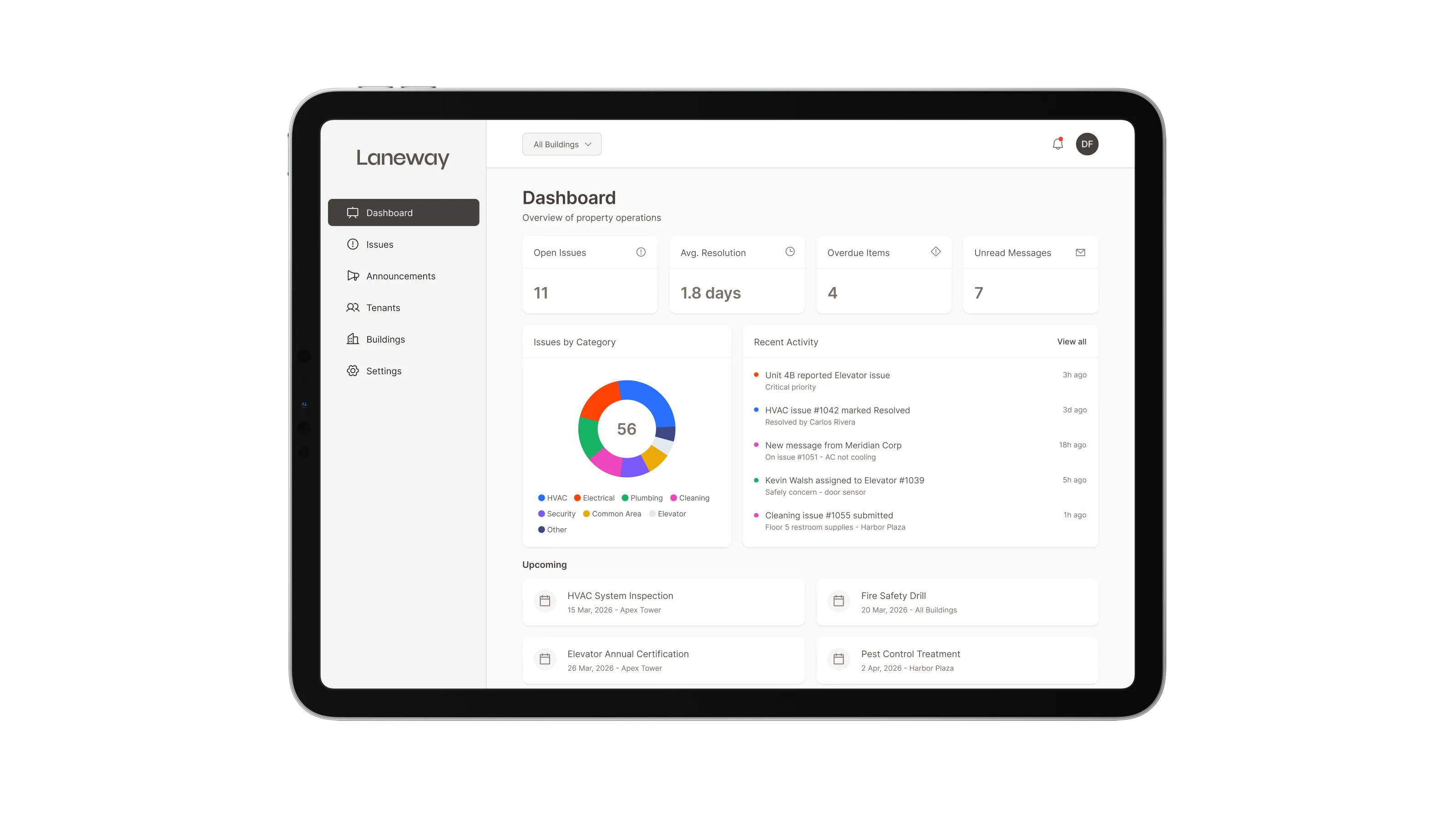
Overview
Laneway is a dual-sided communication platform for commercial properties. It connects tenants with property management.
Tenants report issues and stay informed via a mobile app, while managers track, assign, and resolve everything from a desktop dashboard.
The problem
Communication between commercial tenants and property management is broken. It runs on scattered emails, phone calls, and WhatsApp messages, with no shared system to track what was said, what was promised, or what was resolved.
For tenants
- No visibility into whether an issue was received, acknowledged, or being worked on
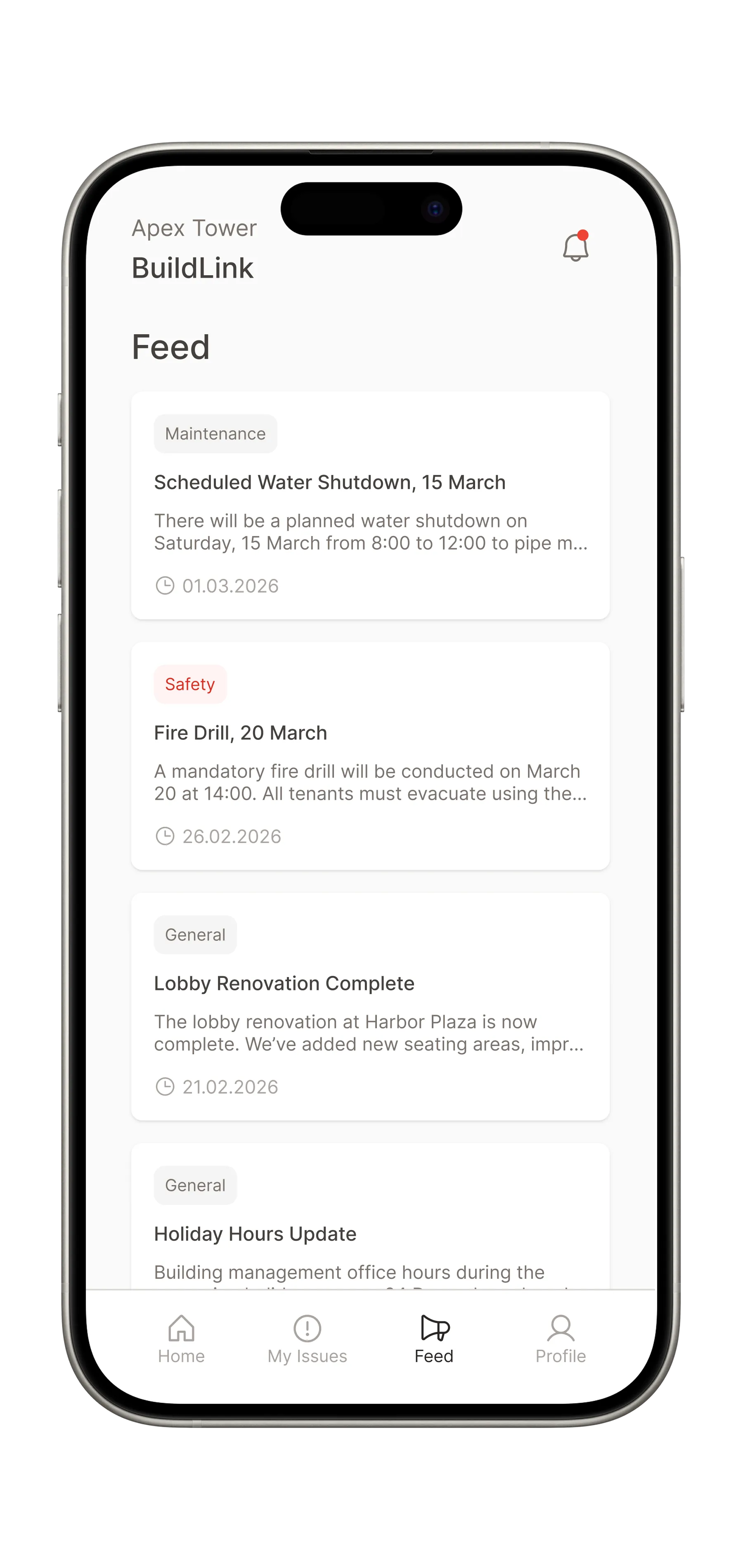
- Building announcements get buried in inboxes and are easily missed
- No single place to check building info or past requests
For property managers
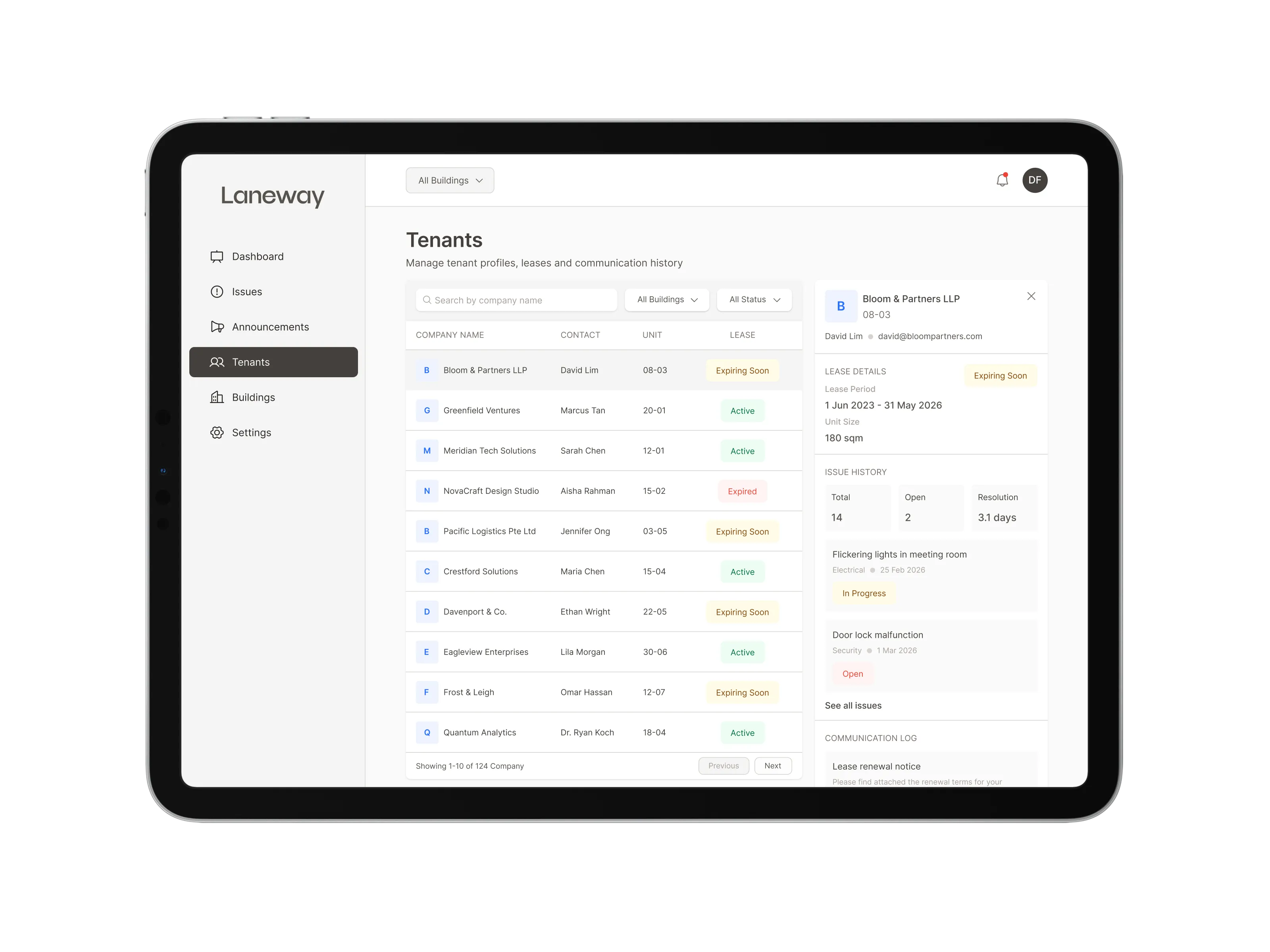
- Issues arrive through multiple channels with no unified tracking
- No way to measure team performance or resolution times
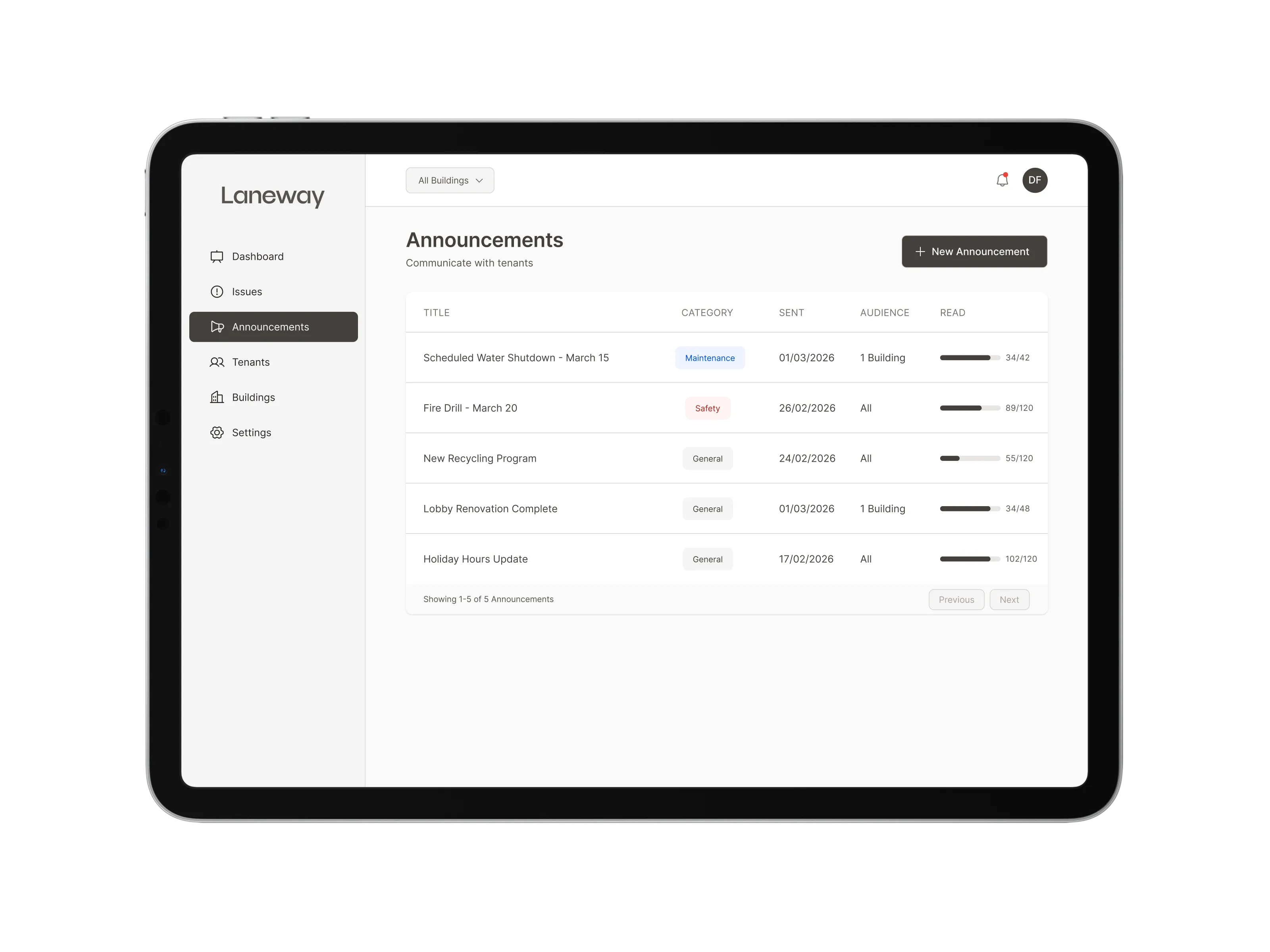
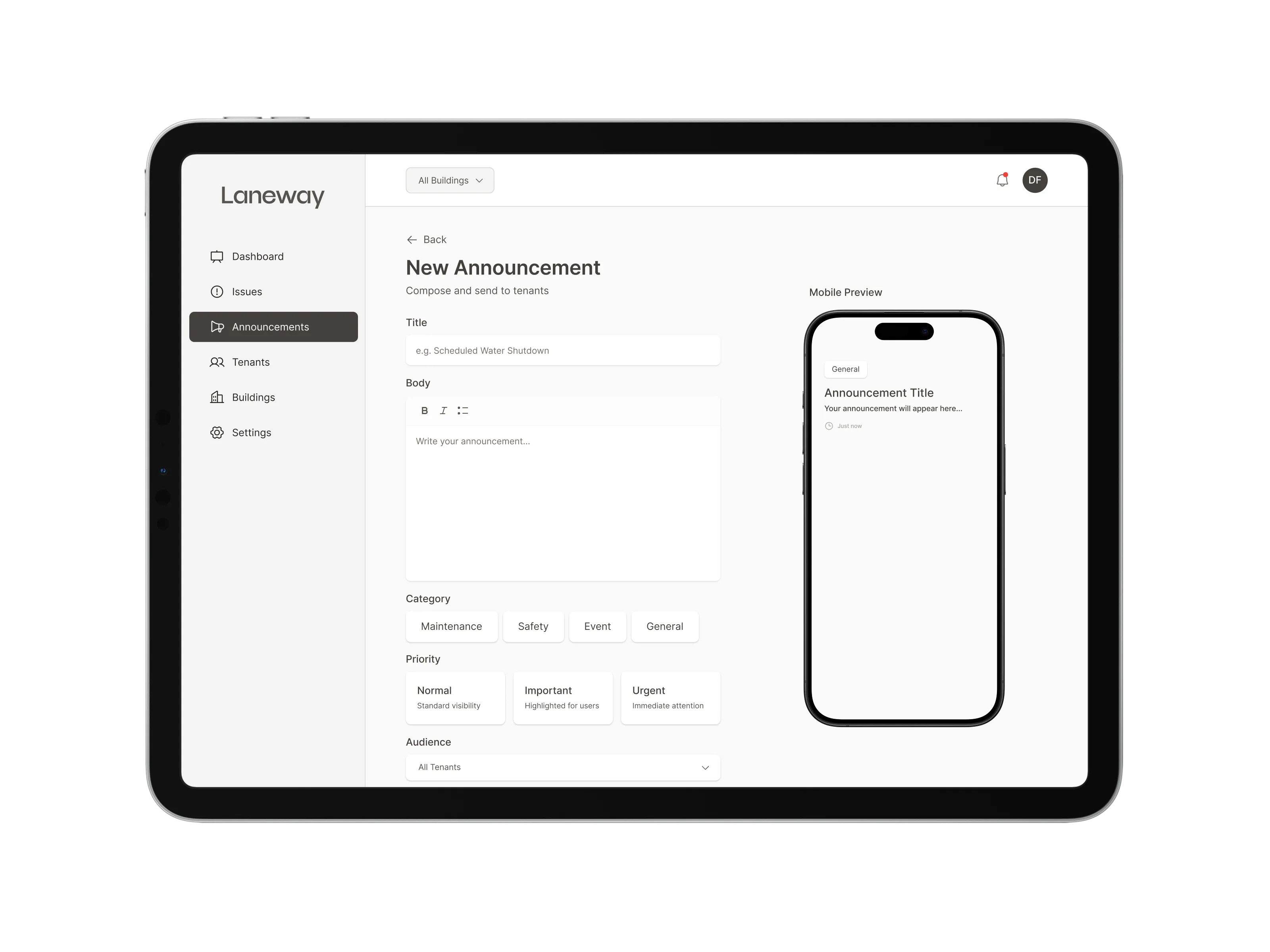
- Announcements have no read confirmation, no way to know if tenants actually saw them
Users

Manages daily office operations for a 30-person team on the 7th floor. When something breaks: AC, lights, elevator, she needs to report it fast and get back to work. She doesn't want to chase updates over email.
Report issues quickly, know when things will be fixed, stay informed about building changes.

Responsible for 40+ tenants across 12 floors. Coordinates a maintenance team of 6. His biggest challenge isn't fixing things, it's tracking what needs fixing, who's handling it, and keeping tenants in the loop.
Triage issues efficiently, track team performance, communicate proactively.
Information architecture
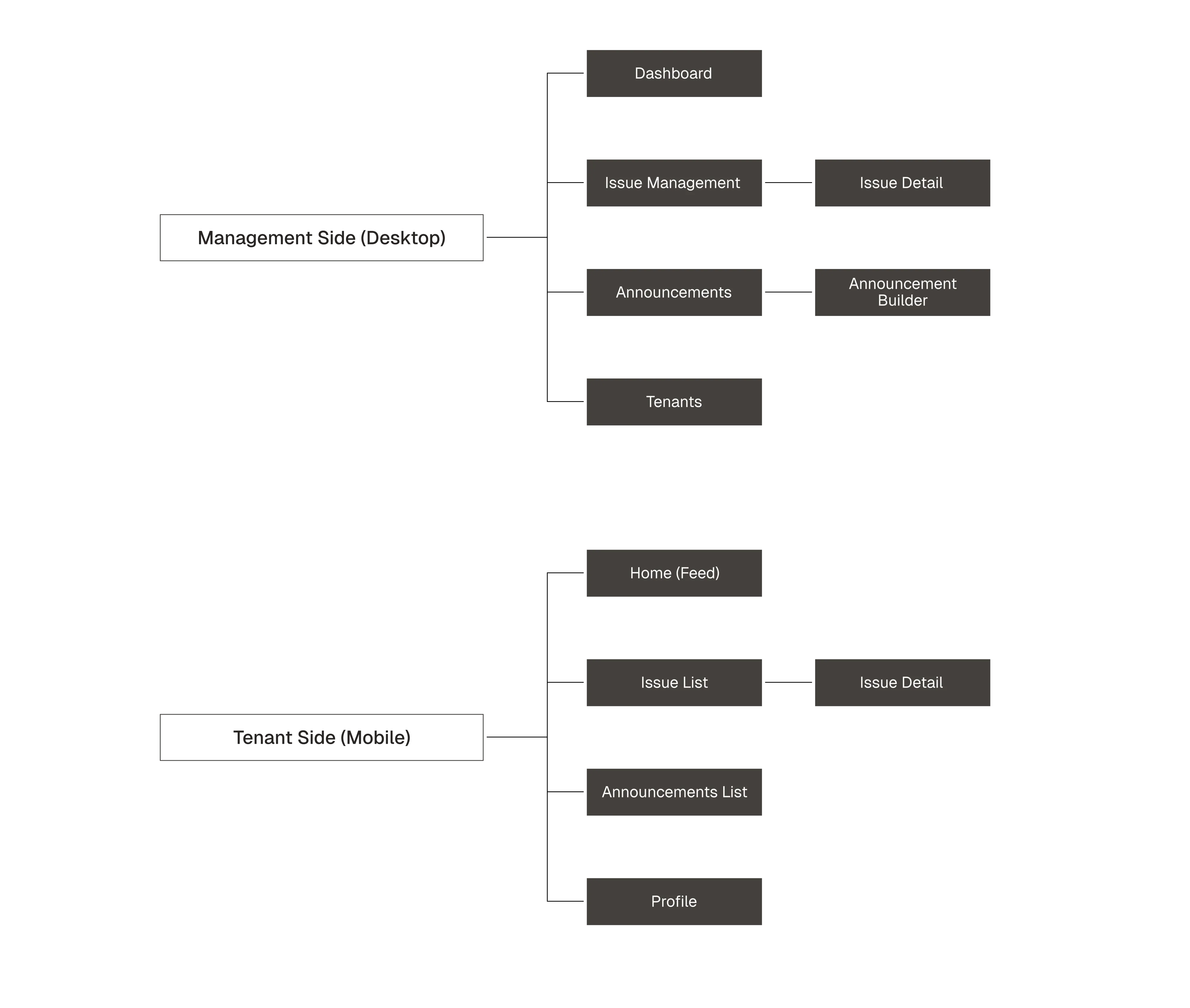
Laneway serves two distinct users on two different platforms, but they share the same data. A tenant reports an issue on mobile, a manager resolves it on desktop. An announcement is created on desktop, read on mobile. The information architecture reflects this: two interfaces, one connected system.
The management side
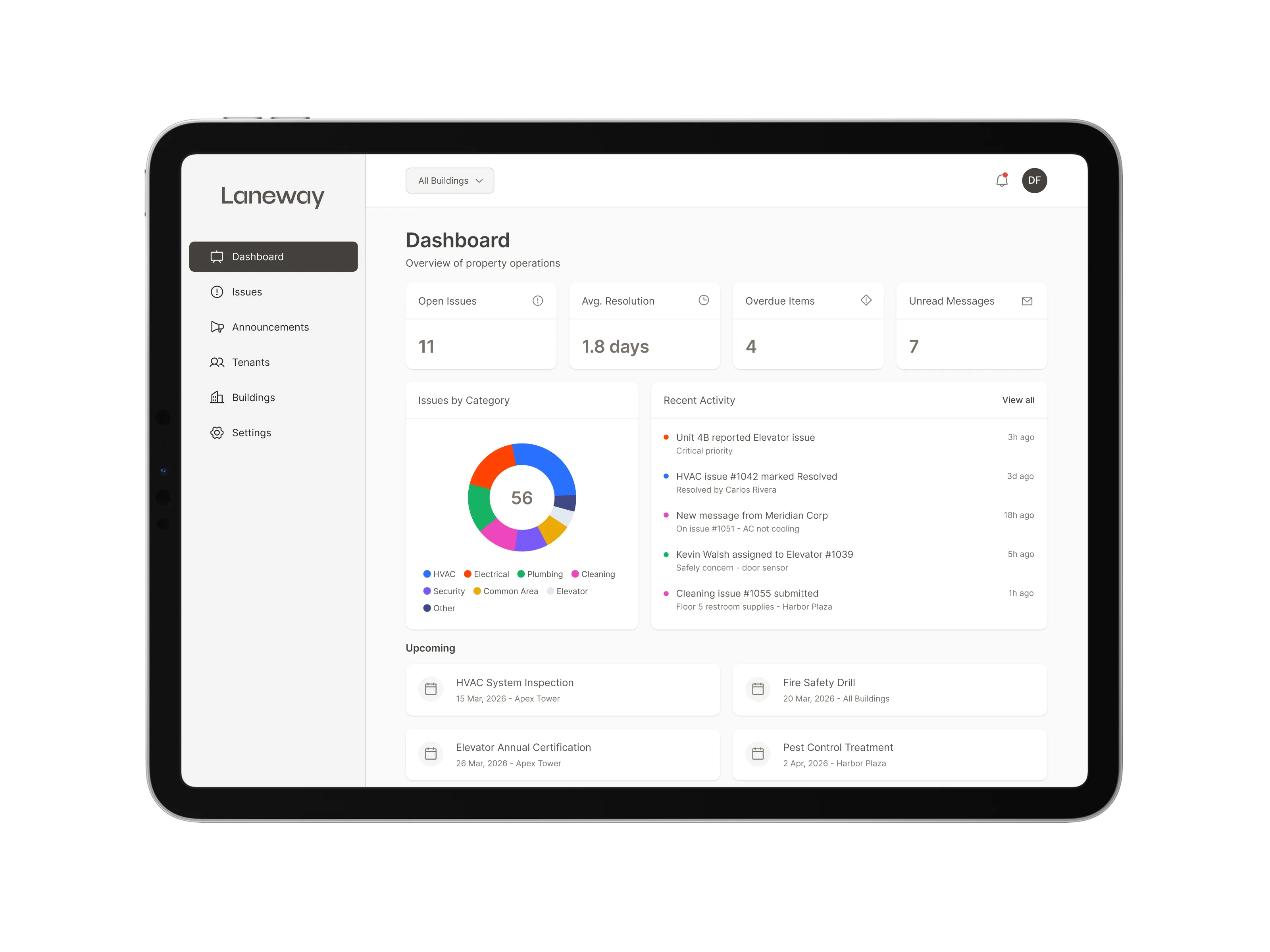
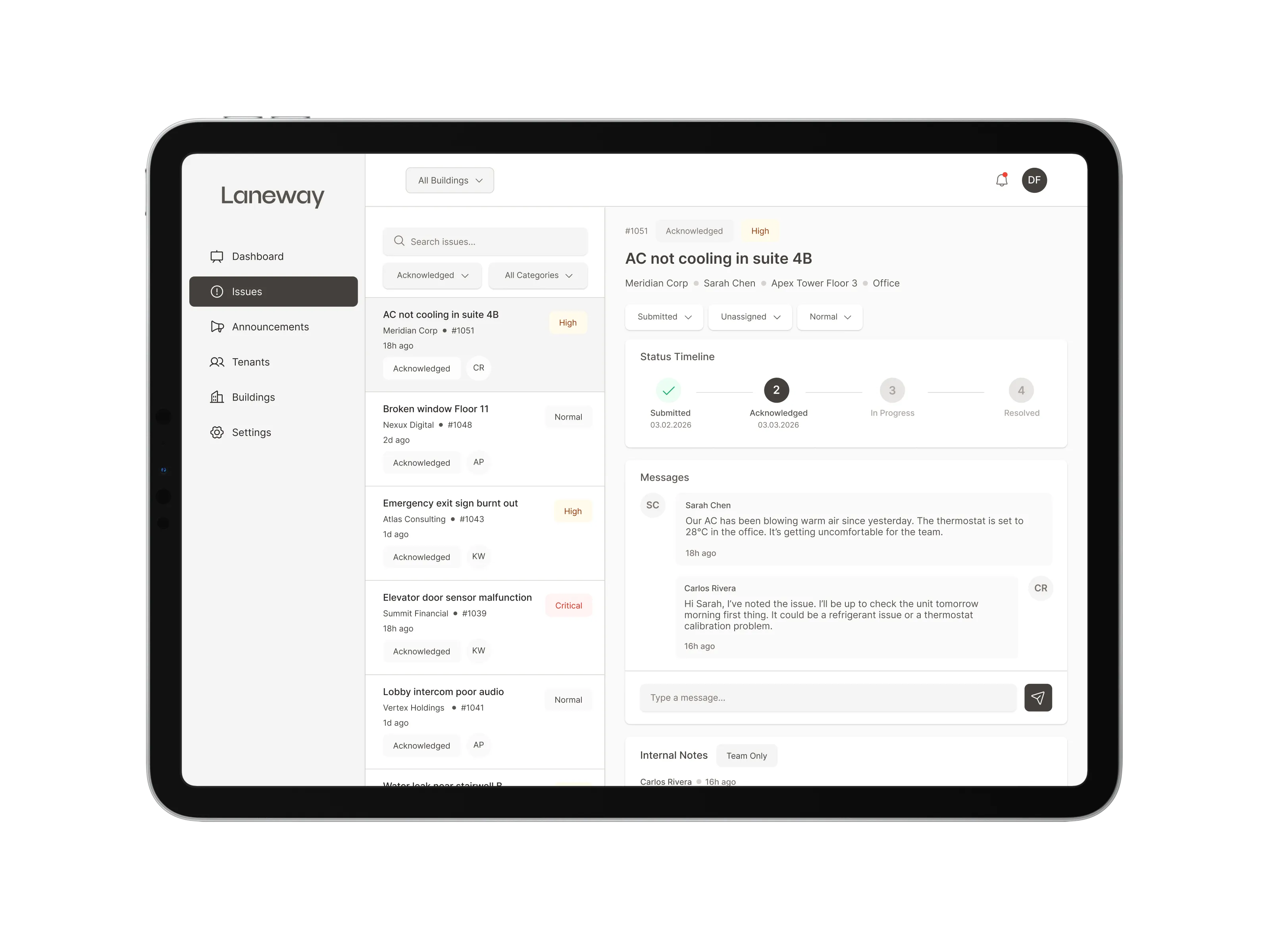
The management side is a desktop-first workspace built for property managers who spend their day triaging issues, coordinating maintenance teams, and keeping tenants informed. Every screen is designed around one principle: reduce time from problem to resolution.
The tenant side
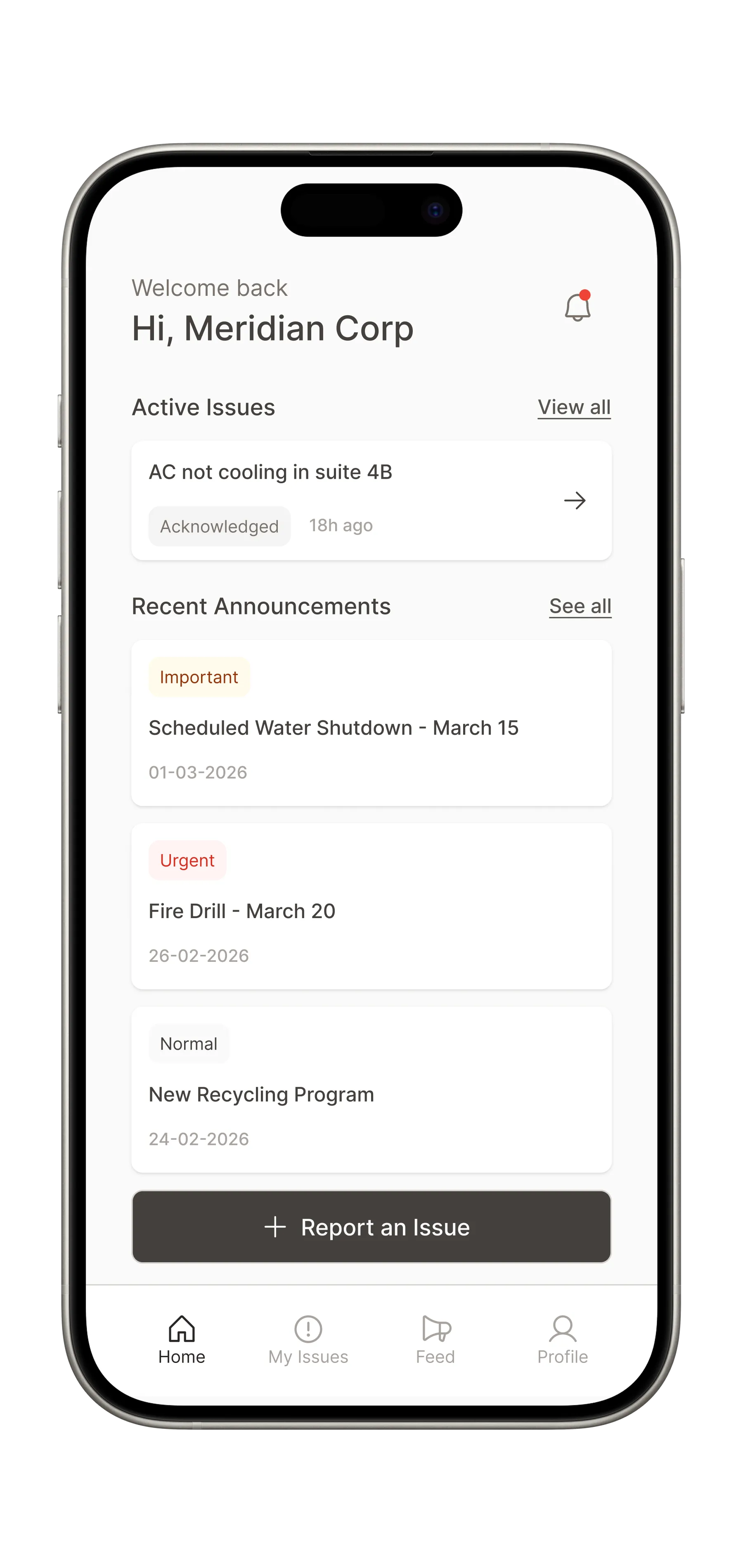
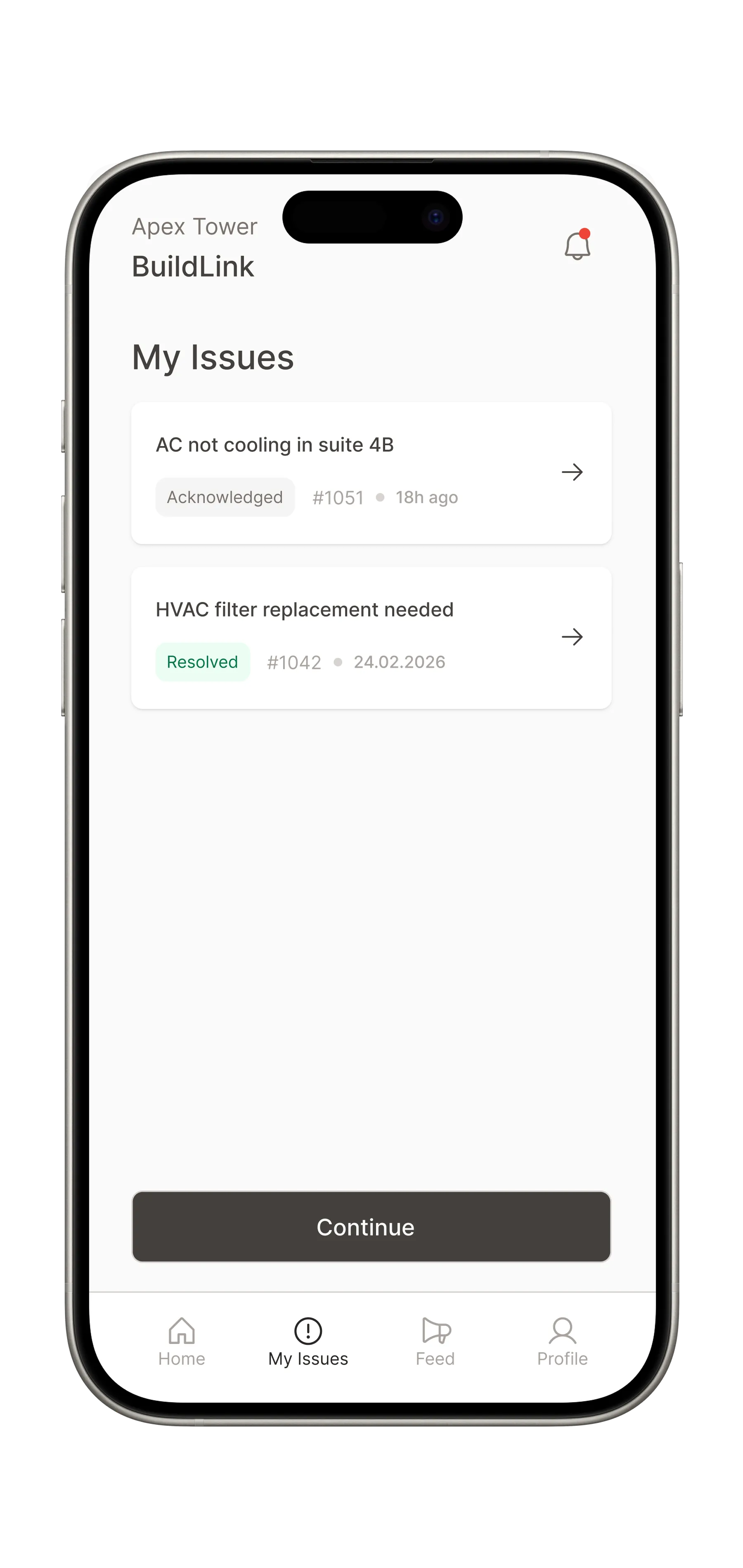
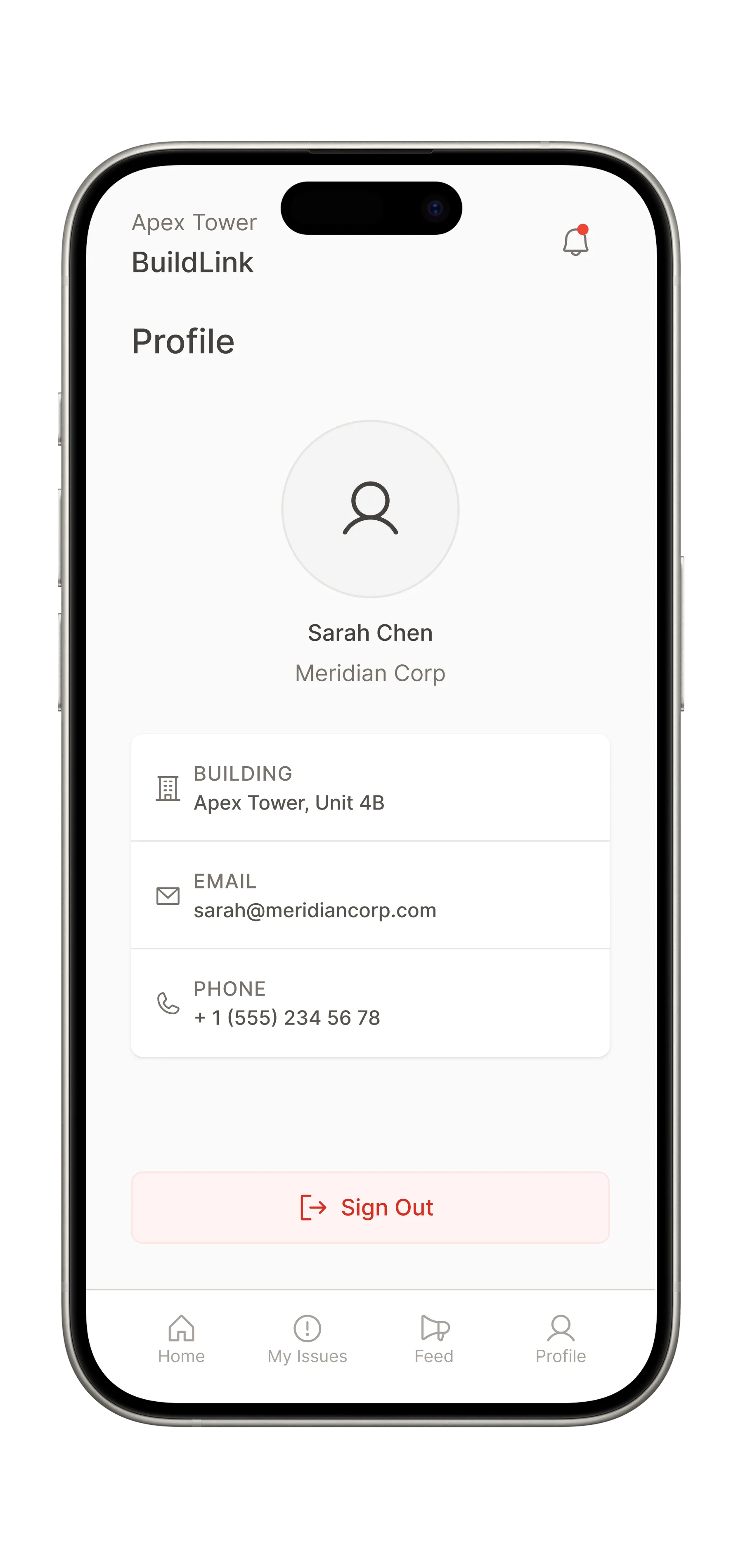
The tenant side is a mobile-first experience designed for speed and transparency. Tenants don't want to manage a tool. They want to report a problem in 30 seconds and know when it'll be fixed. Every screen is built around reducing effort and increasing visibility.
Report issue flow
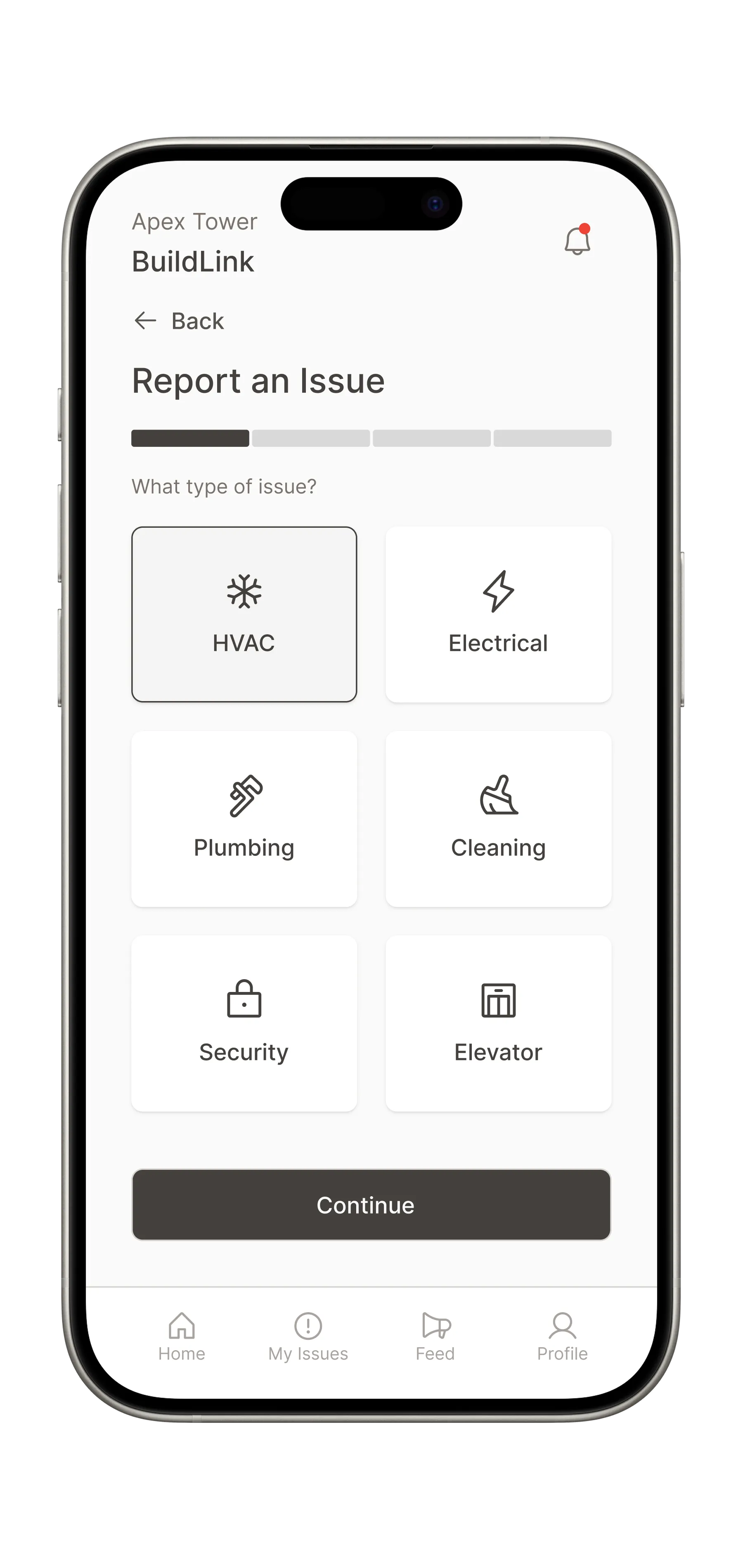
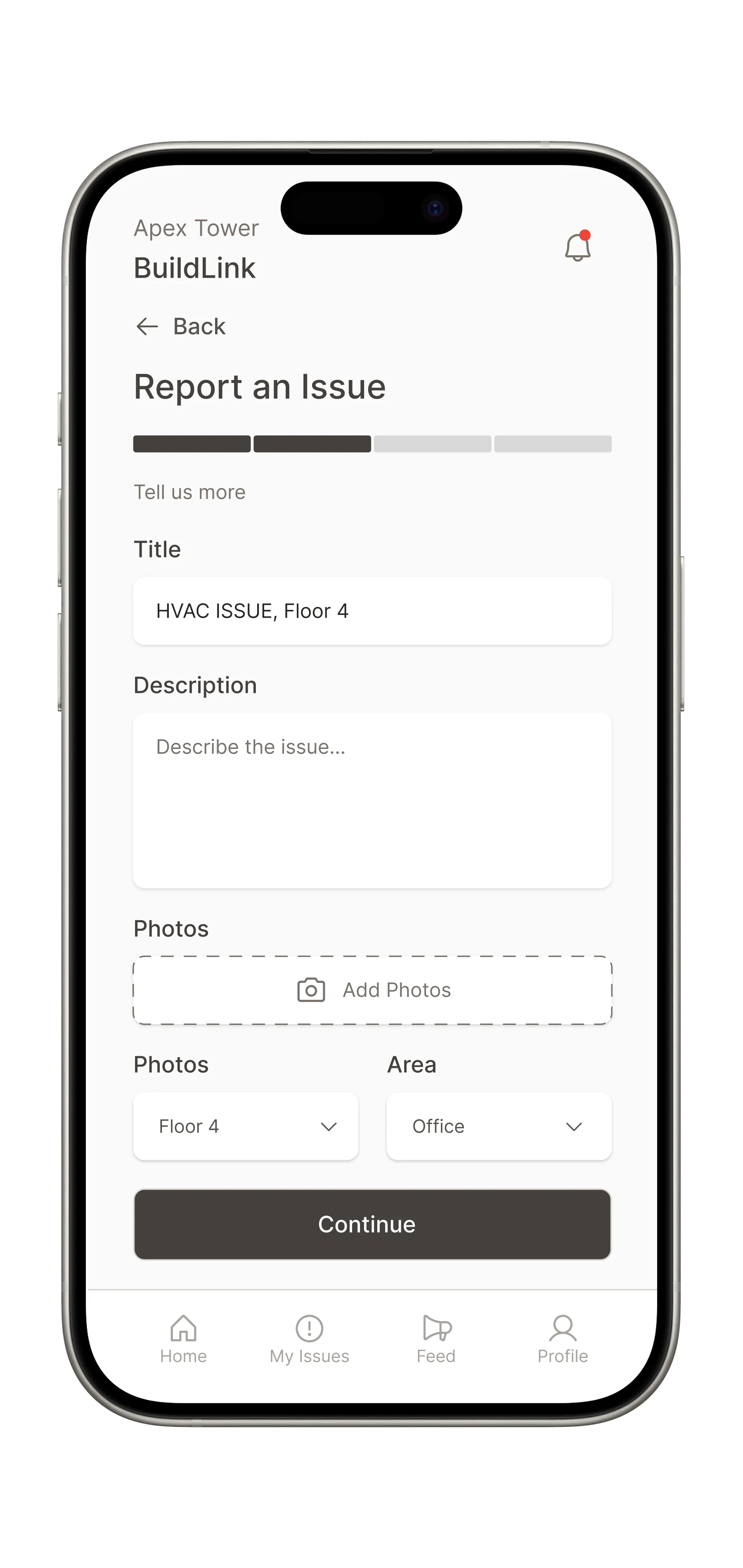
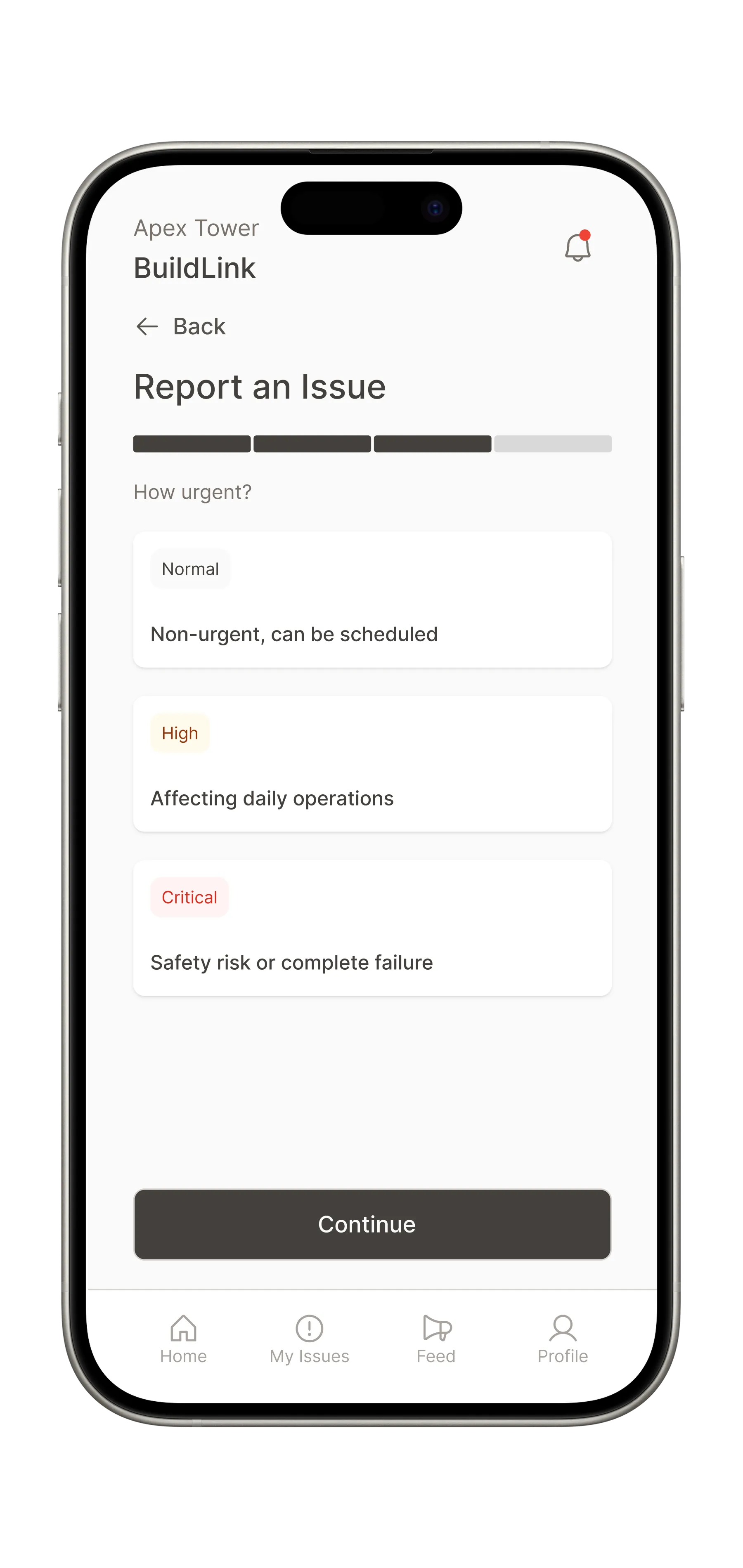
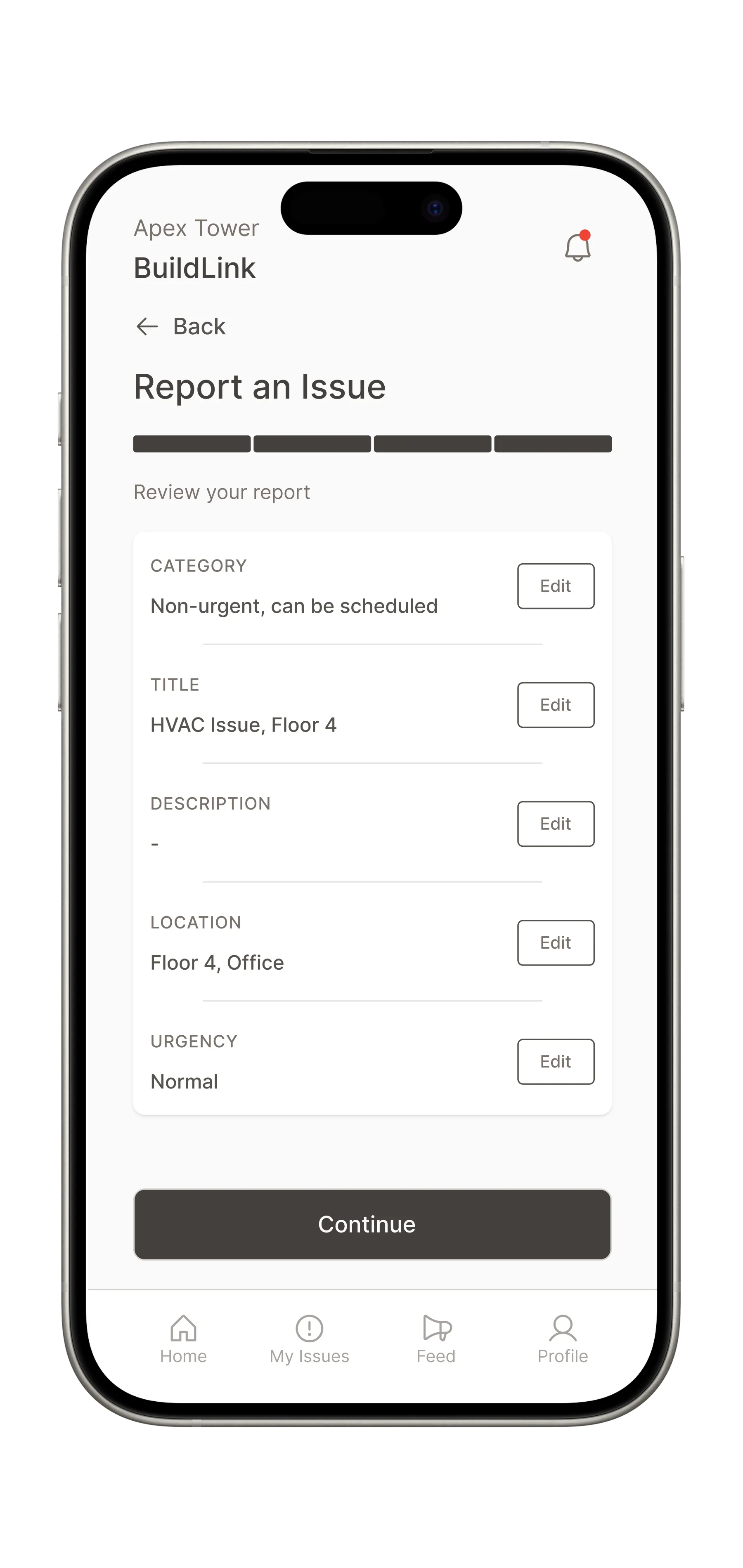
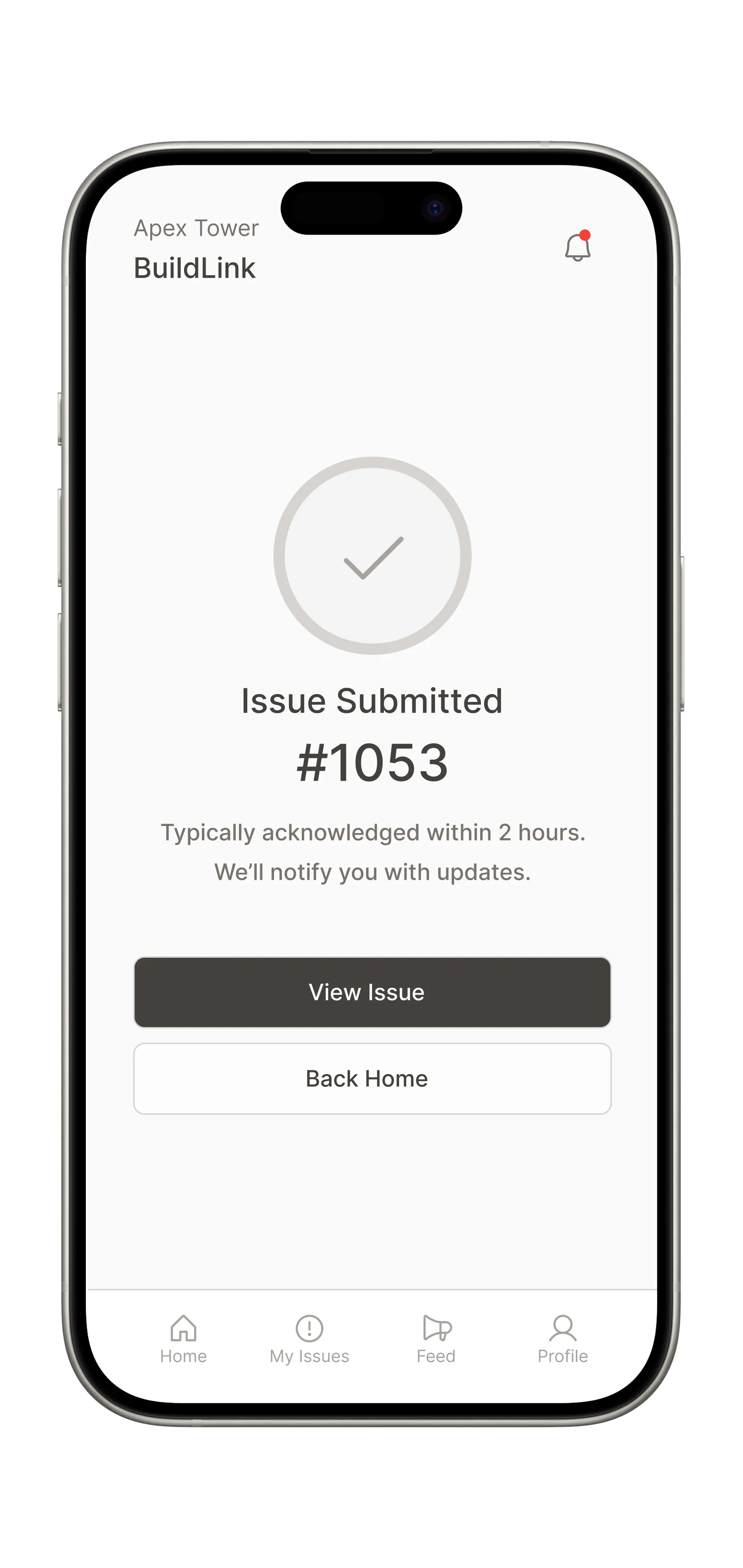
This multi-step flow is designed to be completed in under 60 seconds. It follows a progressive disclosure pattern: start broad (category), get specific (details + photos), set expectations (urgency), then confirm.
Issue detail + status timeline
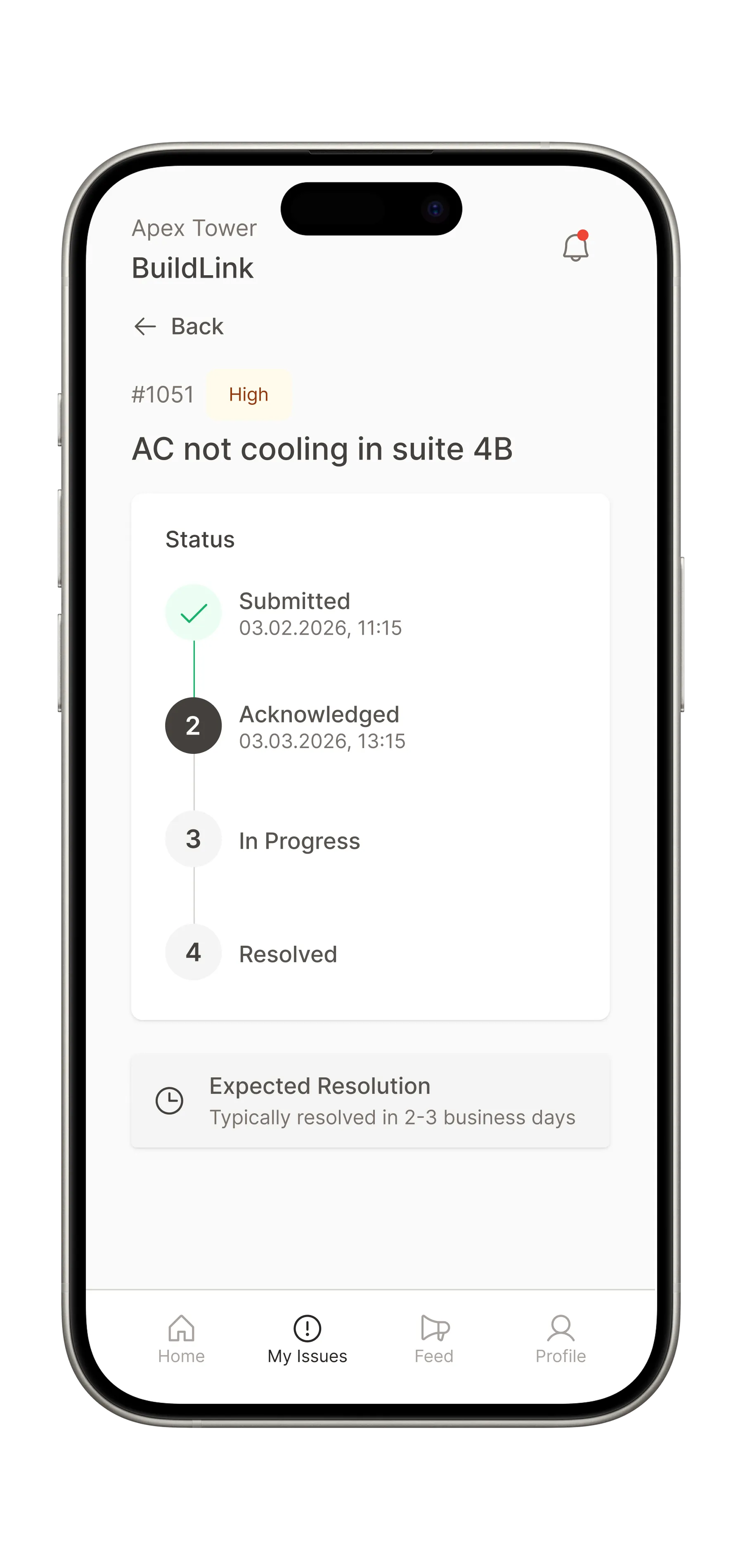
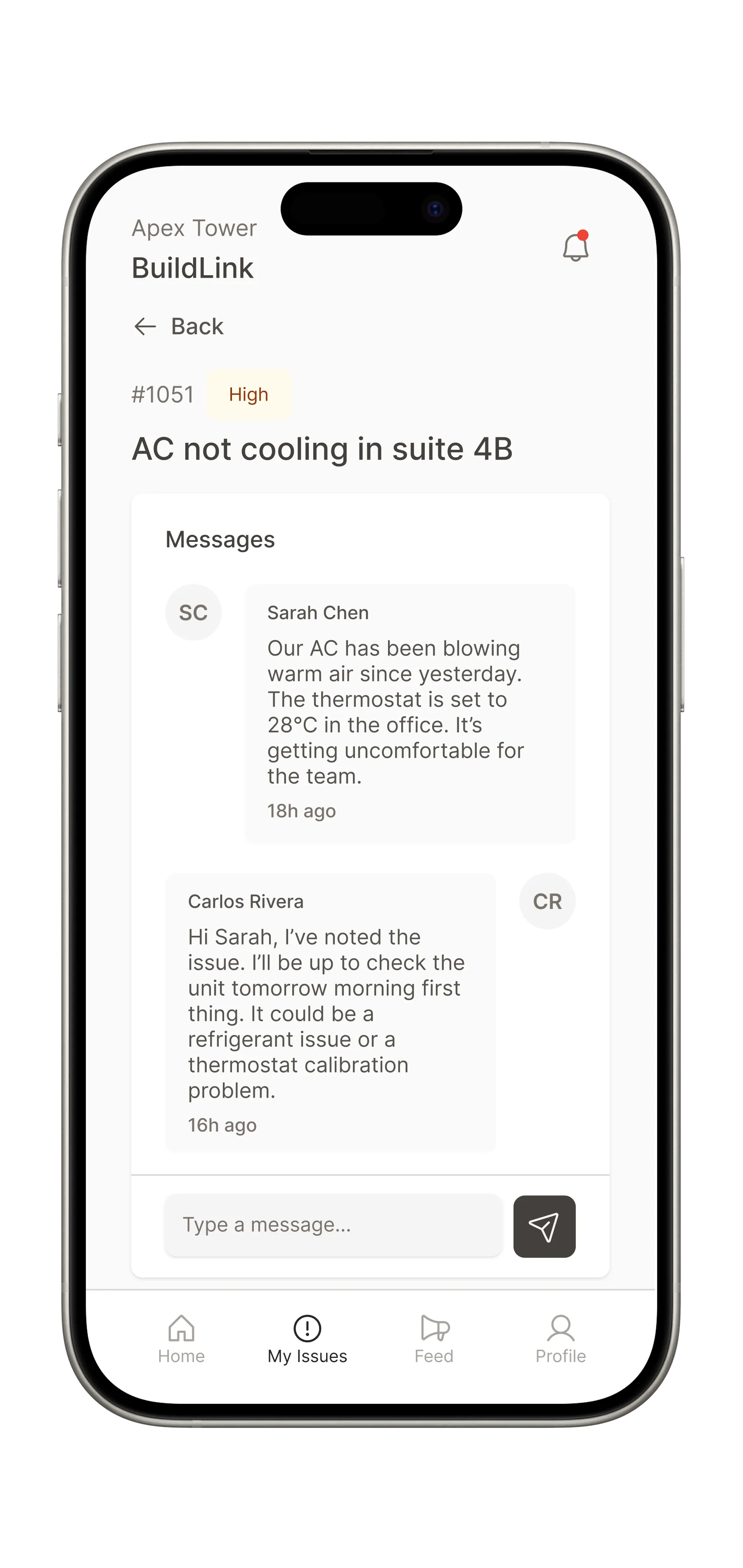
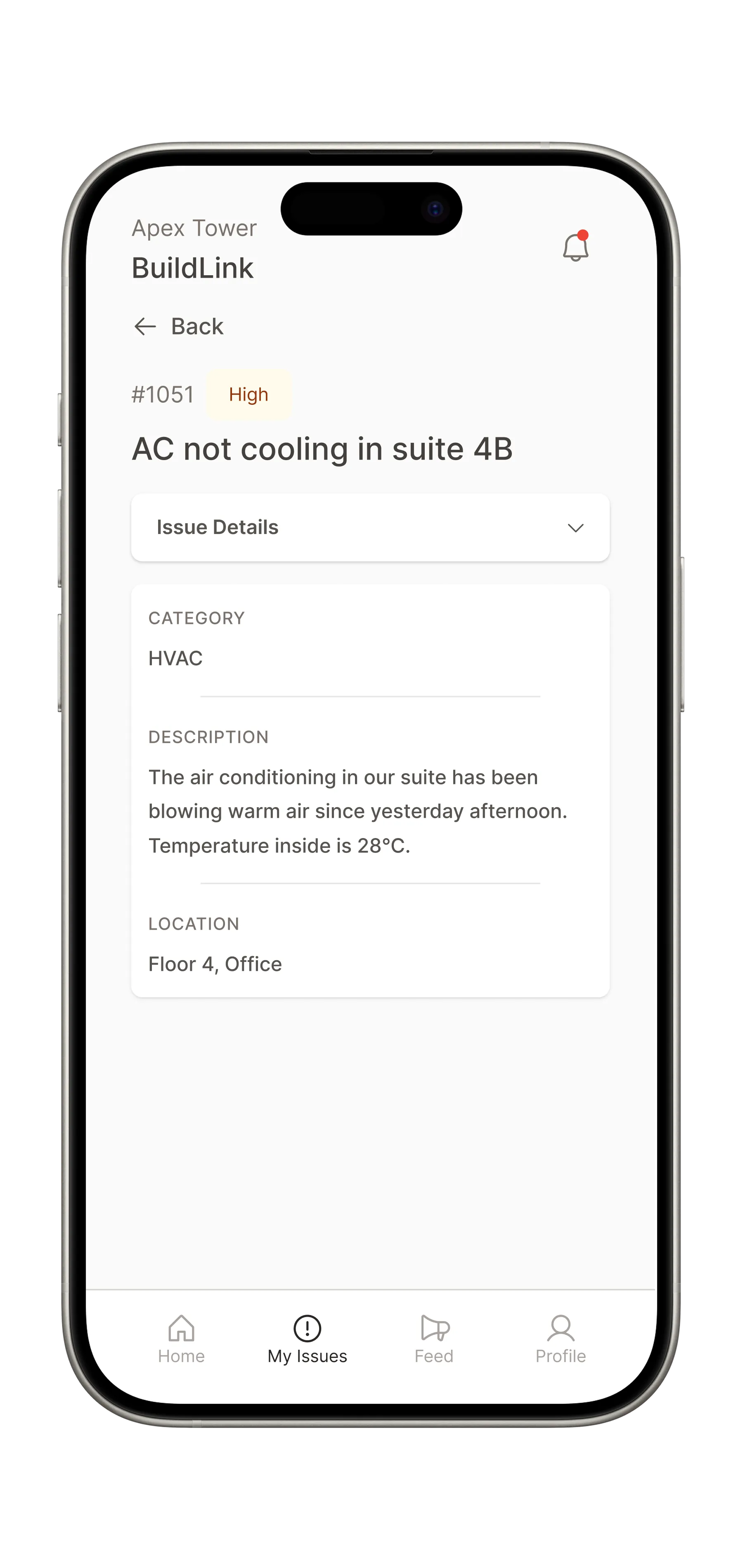
This is the screen tenants return to most. The status timeline is the hero element, a visual stepper showing exactly where the issue stands in its lifecycle: Submitted, Acknowledged, In Progress, Resolved.
Reflection
Designing both sides of the same platform was the most valuable part of this project. Every decision on the management side had a direct consequence on the tenant experience and vice versa. The status timeline, for example, isn't just a UI element: it's a contract between two users who never see each other's screen but need to trust the same information.